 AppWishMark




About
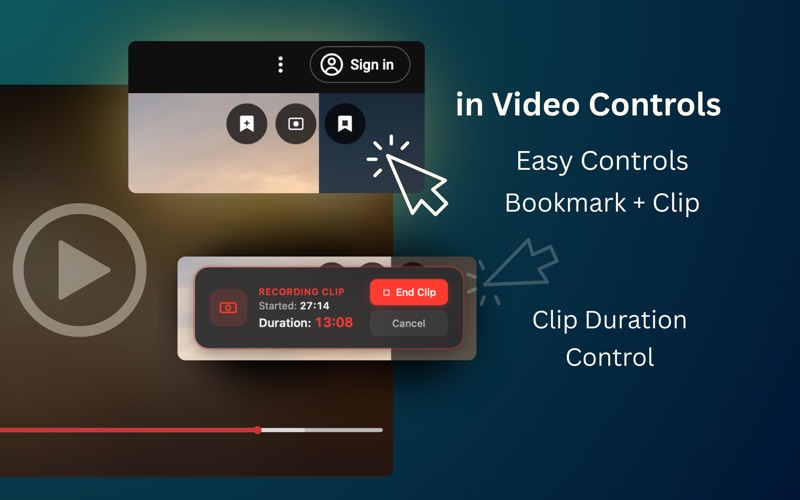
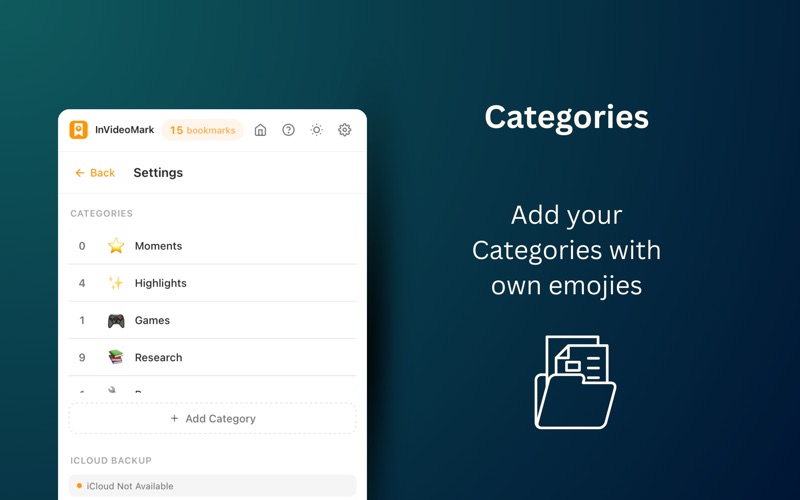
InVideoMark is a powerful Safari extension that lets you bookmark precise moments in any video. Never lose track of important timestamps again. Perfect for: • Teachers creating lesson references from educational videos • Researchers cataloging interviews, lectures, and documentaries • Journalists marking quotes for fact-checking • Content creators saving inspiration and reference material • Students organizing study materials from video courses • Parents bookmarking moments from YouTube Kids for their children • Anyone who watches YouTube for learning Key Features: INSTANT BOOKMARKS Click the bookmark button on any YouTube or YouTube Kids video to save the exact timestamp. Your bookmarks are stored locally and always accessible. YOUTUBE KIDS SUPPORT (NEW in v1.1) Now works seamlessly with YouTube Kids! Bookmark your children's favorite moments and organize them by platform. Perfect for parents and educators. VIDEO CLIPS Create clips by marking a start and end time. When you play a clip later, the video automatically pauses at the end time - perfect for reviewing specific segments. SMART ORGANIZATION Organize bookmarks with custom categories. Add notes, tags, and emoji icons for quick visual identification. Filter by category, type, or platform to find any bookmark instantly. PLATFORM FILTERS (NEW in v1.1) Filter your bookmarks by source - YouTube or YouTube Kids. Each bookmark shows its platform tag for easy identification. FLOATING PLAYER CONTROLS (NEW in v1.1) Beautiful circular buttons appear on hover over the video: - Bookmark: Save current moment instantly - Clip Start: Begin recording a clip - Clip End: Finish and save the clip KEYBOARD SHORTCUT Press Alt+B while watching to quickly bookmark without interrupting your viewing. BACKUP & RESTORE Export all your bookmarks to JSON and iCloud for safekeeping. Import them back anytime or transfer to another device. BEAUTIFUL DESIGN Native macOS design with unified orange theme for both light and dark modes. Feels right at home on your Mac. PRIVACY FOCUSED All data stays on your device. No accounts, no cloud sync, no tracking. Your bookmarks are yours alone. Whether you're studying, researching, or just want to remember that perfect moment in a video, InVideoMark makes it effortless. # How It Works: 1. Install the extension and enable it in Safari 2. Go to any YouTube or YouTube Kids video 3. Use the floating player controls or keyboard shortcut to bookmark 4. Access your bookmarks anytime from the extension popup 5. Click any bookmark to jump directly to that moment 6. Filter by platform to see only YouTube or YouTube Kids bookmarks