 AppWishMark


About
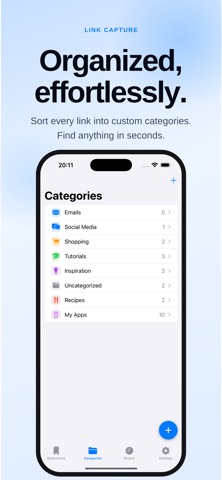
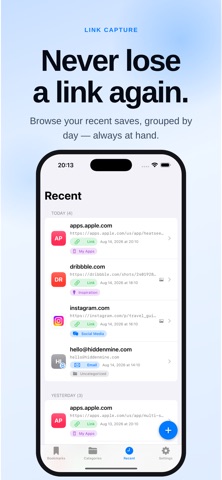
Stop retyping links you see in screenshots. LinkCapture reads the URLs right out of your images and saves them as tidy, searchable bookmarks — all on your device, no account required. Point it at a screenshot, a photo, or something on your clipboard, and LinkCapture uses text recognition to pull out every link it finds. One image with three links becomes three bookmarks. Emails are detected too. Then it offers something no camera roll does: once your link is safe, delete the source image and reclaim the storage. WHAT YOU CAN DO • Extract links from screenshots, photos, the camera, or the clipboard • Get every URL in an image at once — save one bookmark per link • Organize with colorful, icon-tagged categories • Search and filter your whole collection instantly • Browse a Recents timeline grouped by date • Open links in an in-app browser, or copy and share them • Keep failed captures as "no-link" notes so nothing is lost • Detect email addresses and tap to compose • Reclaim storage by deleting the source photo — now or later SHARE SHEET BUILT IN Send an image to LinkCapture straight from Photos, Safari, or any app via the Share sheet. It extracts the links and saves them without leaving what you were doing. PRIVATE BY DESIGN Everything happens on your iPhone or iPad. There are no servers, no accounts, no tracking, and no ads. Your bookmarks, images, and the links you open never leave your device. PRO — GO DEEPER Some links wrap across multiple lines in a screenshot. Unlock LinkCapture Pro to reconstruct those full, deep links automatically — and get 200 extractions bundled in. One-time purchase, yours forever. Start with 10 free extractions. Grab a pack whenever you need more.